How to use AP TechMate

Better details lead to better technical support.

AP TechMate can help analyze photos, explore troubleshooting possibilities, explain technical information, review documents, and locate useful reference direction. Start with clear information and continue the conversation as the issue develops.

It speaks your language. Ask questions in the language you’re most comfortable using.

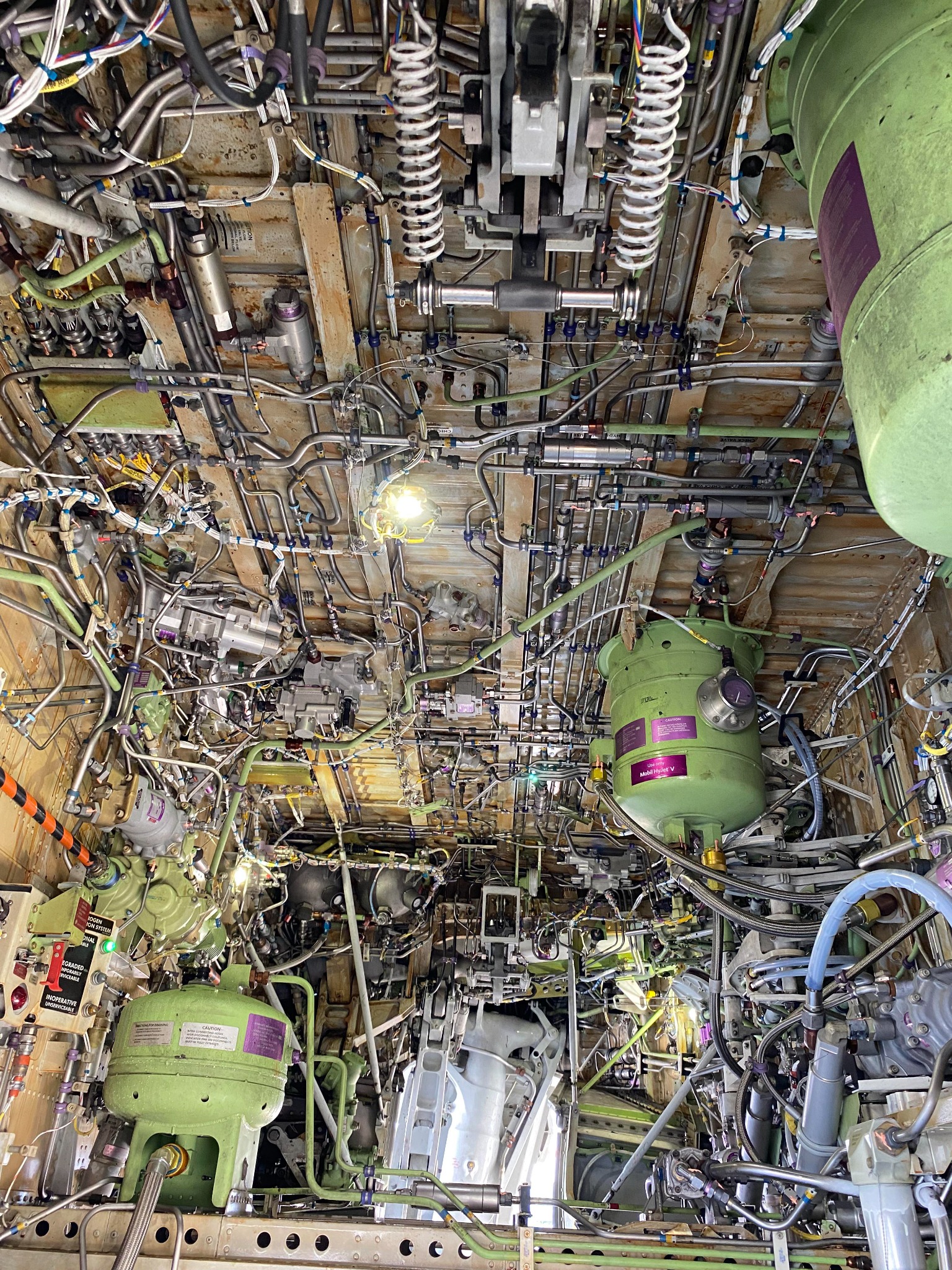
Detailed aircraft systems bay with components, tubing, and wiringAircraft systems
Aircraft component deployed beneath the fuselageComponent
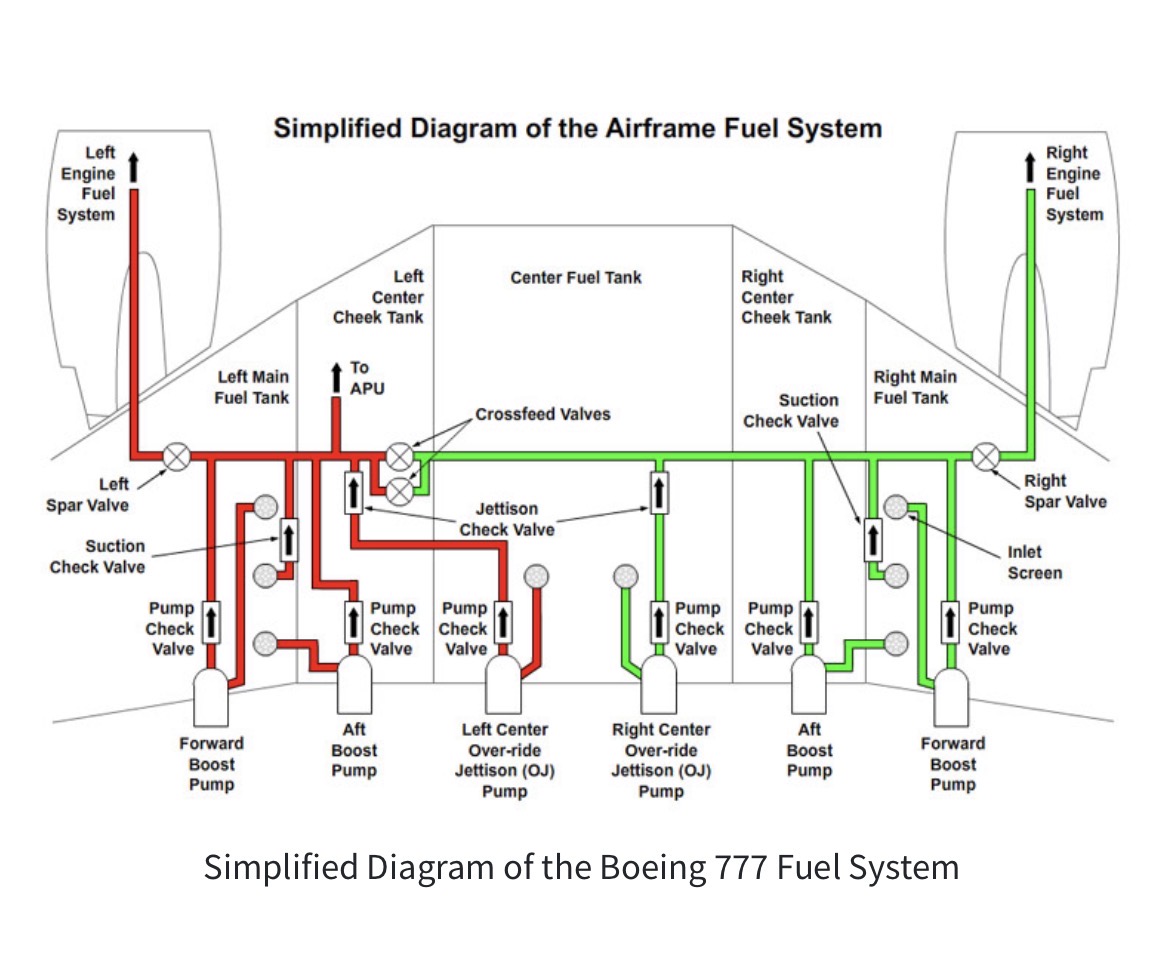
Simplified aircraft fuel-system schematicSchematic
Photos, troubleshooting, and documentsUpload the relevant material, ask a focused question, then add aircraft and system details.
Troubleshooting
Photo analysis
Technical research
Manual help
Regulations & records

Use it like a conversation with another technician.

You do not need a perfect first question. Begin with what you know, then provide the details AP TechMate asks for.

1
Technical research

Start with the aircraft and the question.

When possible, identify the aircraft make, model or series, the system, and the component location. This reduces incorrect assumptions and makes research more relevant.

  • Aircraft make and model or series
  • System, component, or ATA area
  • What you are trying to identify or understand
Example question“What is this aircraft component, what system is it part of, and what details would confirm the identification?”
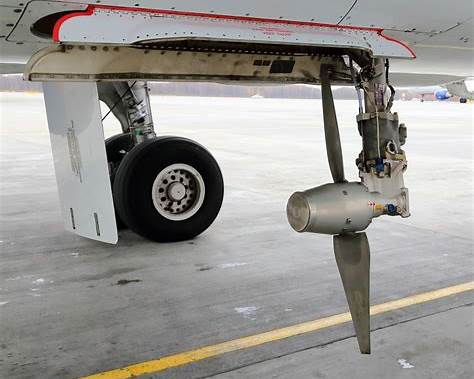
Aircraft component shown as a component-identification example
Include surrounding structure and connections so the installation location is visible.
2
Photo analysis

Take one wide photo and one close-up.

A clear image can be more useful than a long description. Give AP TechMate enough visual context to distinguish similar-looking components.

  • Use bright, even lighting and sharp focus
  • Show the complete installation first
  • Add close-ups of damage, labels, fittings, or connections
  • Avoid blocking the component with tools or hands
Wide view of an aircraft landing gear and brake installationWide view
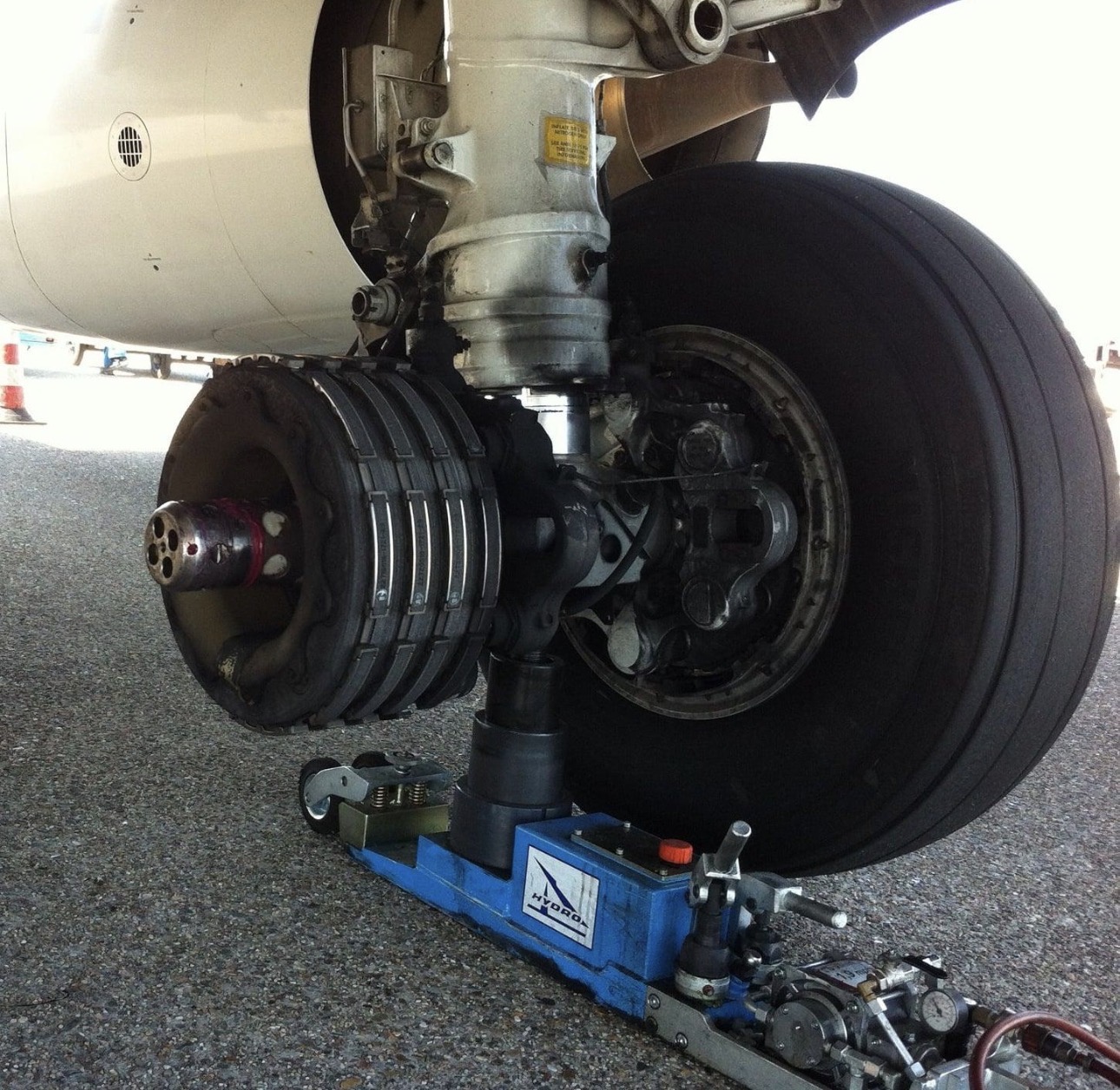
Close-up view of the landing gear brake and wheel areaClose-up
Show the full installation first, then add a sharp close-up of the exact part or defect.
3
Troubleshooting support

Describe when and how the problem happens.

For troubleshooting, symptoms matter more than guesses. Explain the conditions that make the discrepancy appear, disappear, or change.

  • Exact message, light, indication, noise, leak, or behavior
  • Ground, flight, temperature, load, RPM, or configuration
  • Whether the condition is constant or intermittent
  • Recent maintenance or parts replacement
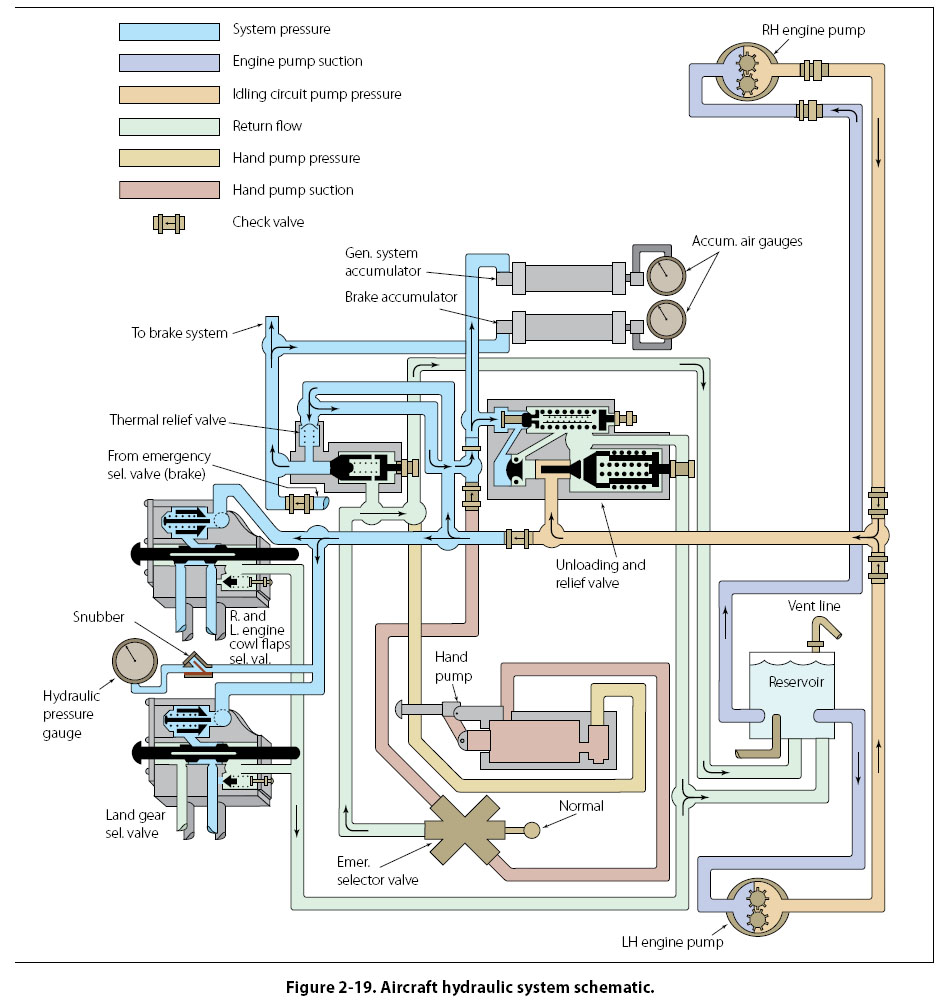
Better troubleshooting question“System pressure is normal, but quantity drops only during extension and returns during retraction. No external leak is visible.”
Aircraft hydraulic system schematic used for troubleshooting
Pair the photo with the exact symptom, operating condition, and recent maintenance history.
4
Manual and document help

Upload the page, diagram, or work card.

AP TechMate can explain visible technical information in plain language, summarize a page, compare a statement with what is shown, and help identify the appropriate reference direction.

  • Capture the complete page before sending close-ups
  • Make headings, notes, tables, and callouts readable
  • Include revision and effectivity information when relevant
  • State exactly what part of the document you want reviewed
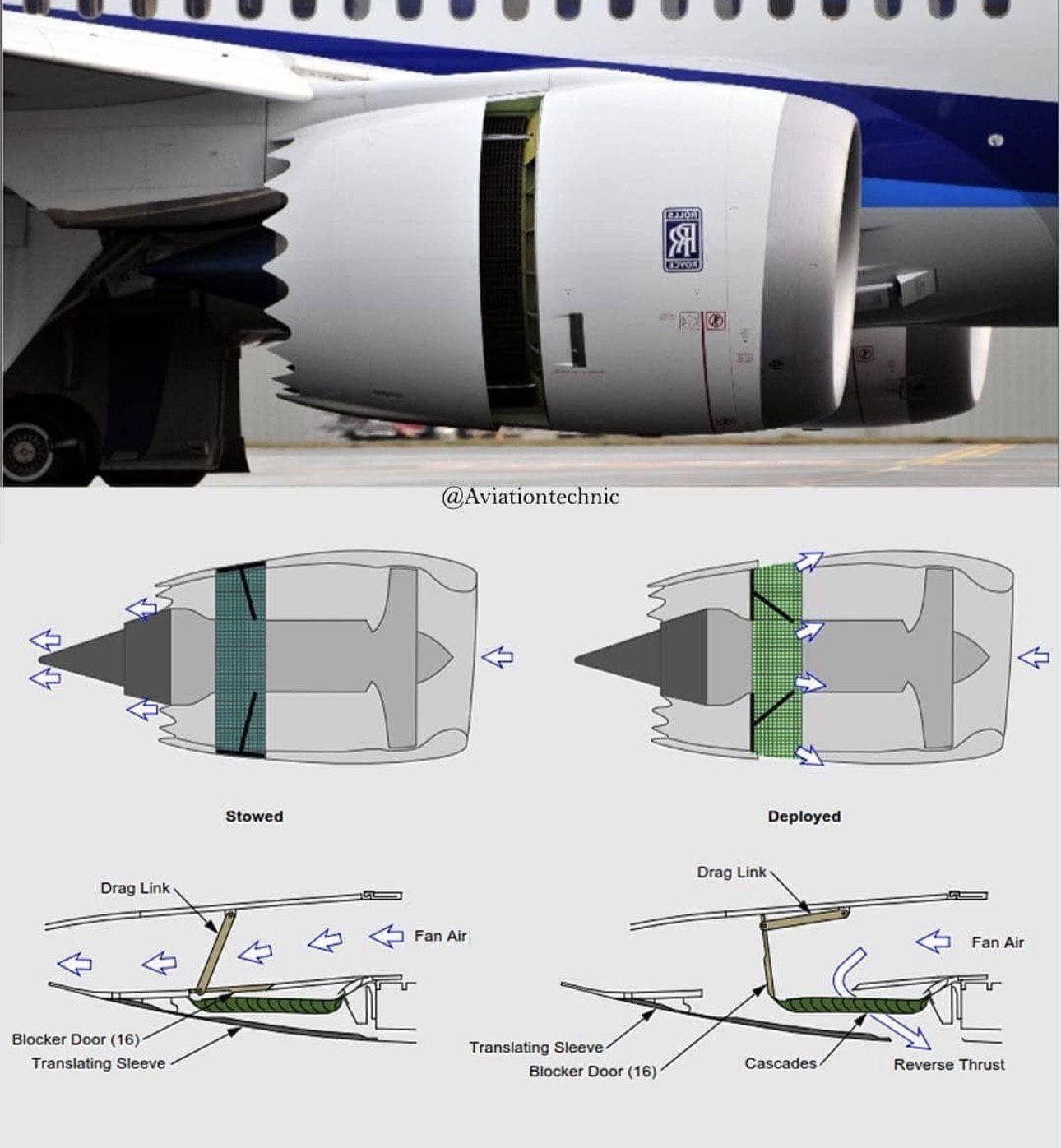
Aircraft engine and thrust-reverser technical diagram
Protect personal, proprietary, or company-sensitive information before uploading.
5
Regulations and records

Ask follow-up questions—and verify before action.

Continue the same conversation when you receive new information. You can ask about regulations, maintenance-record wording, inspection concepts, and reference direction, but AP TechMate is not approved maintenance data.

  • Challenge an answer that does not match the aircraft
  • Provide another angle or additional system information
  • Confirm maintenance decisions using current approved data
  • Follow company procedures and authorization requirements
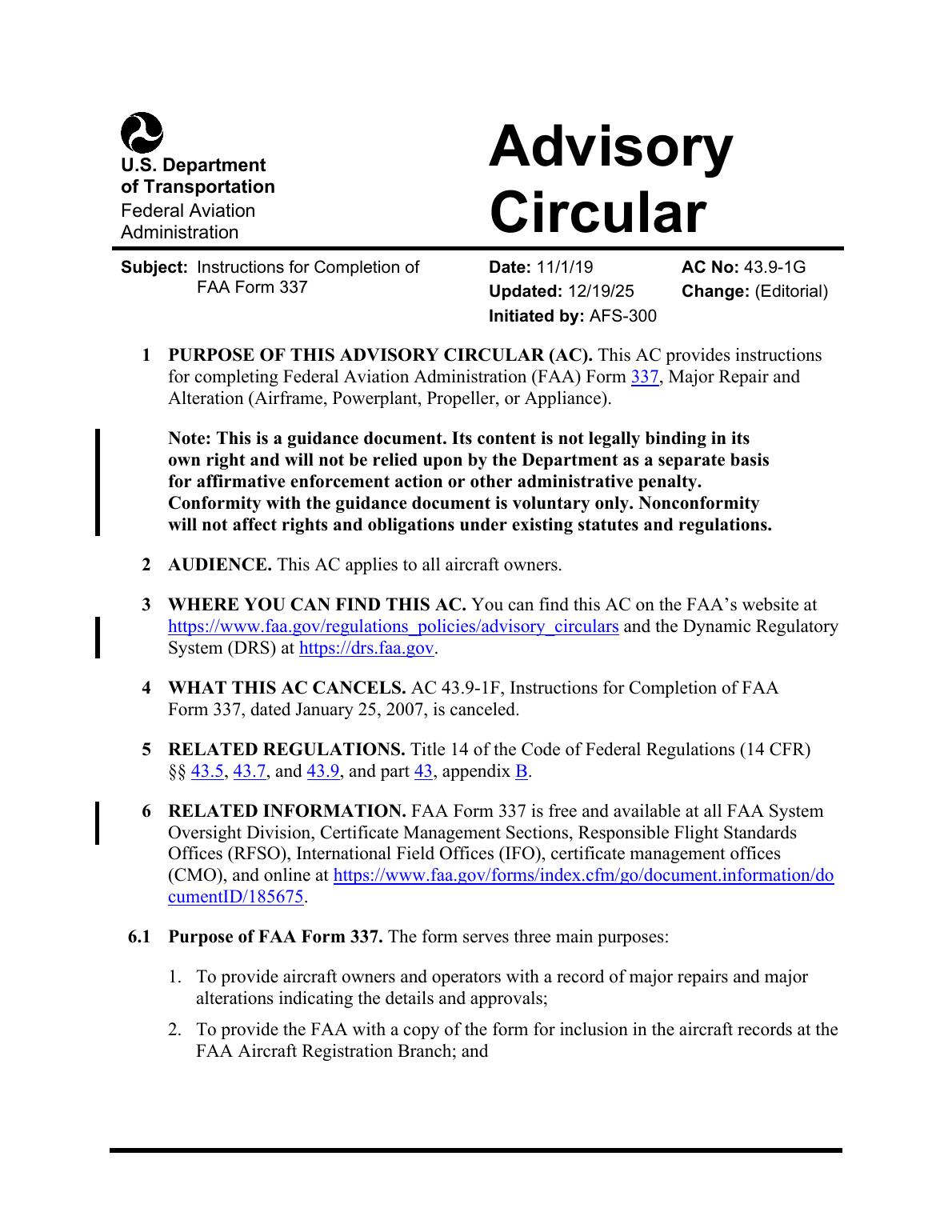
Always verify withCurrent applicable AMM, FIM, SRM, IPC, approved engineering data, regulations, and company procedures.
FAA Advisory Circular AC 43.9-1G document page
Use the conversation to narrow the question, then verify the result against current approved data.

Start with what you see. Add context as you go.

Use AP TechMate as a technical assistant and second set of eyes—not as a replacement for approved data, inspection authority, engineering authorization, or professional judgment.

Open AP TechMate